Planning
Build trips without spreadsheet chaos
Keep itinerary ideas, imported travel details, and destination notes together instead of splitting them across docs, screenshots, and chat threads.
 TripPup
App Store
TripPup
App Store
AI trip planner for iPhone
Plan better. Travel with less chaos.
TripPup helps you plan itineraries, discover nearby spots, translate menus, store tickets, and handle practical travel tasks without bouncing between disconnected apps.
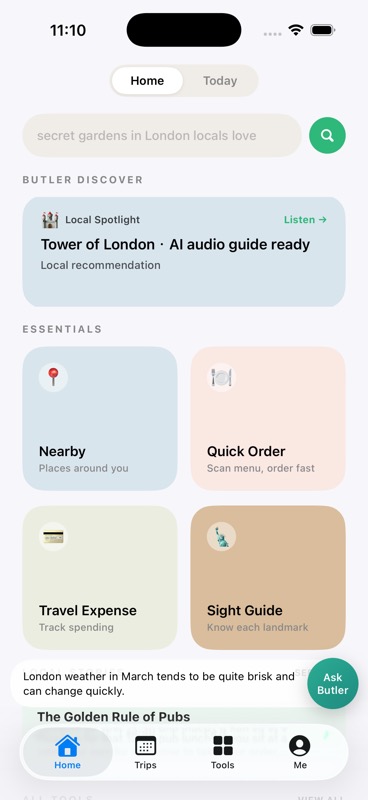
Nearby, Quick Order, stories, and Butler all visible on first open.
Why an AI trip planner
Planning
Keep itinerary ideas, imported travel details, and destination notes together instead of splitting them across docs, screenshots, and chat threads.
AI Butler
Get help with route ideas, timing, prep decisions, and practical travel questions without bouncing between generic AI tools.
On-trip tools
Use translation, sightseeing, nearby discovery, safety, packing, and expense tools when they actually matter, not buried under clutter.
Start here
New users should be able to understand the flow before they download. Start on Home, organize plans in Trips, and open Tools whenever you need something practical during a trip.
Use Home to see what TripPup can already do for you right away.
Go to Trips when you want bookings, timing, and trip records in one place.
Open Tools when you are out in the world and need one specific job done fast.
Inside the app
This gallery works like a product walkthrough. Each card shows a real screen, what it is for, and how to use it.
Home
Home puts Butler suggestions, nearby discovery, quick order, expenses, and local stories into one calm first screen.
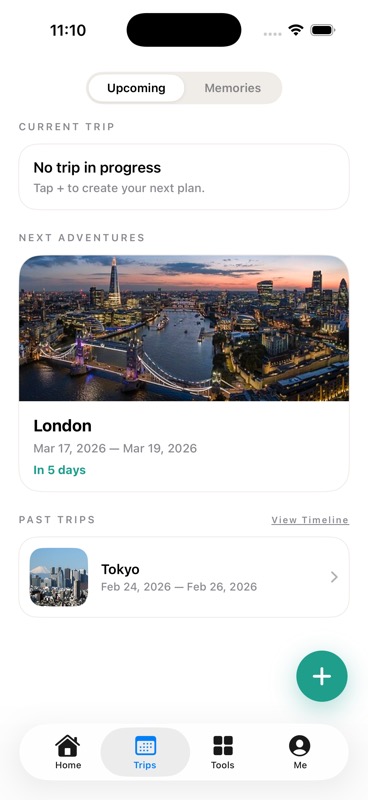
Trips
Trips keeps bookings, timing, and memories together without forcing users to dig through screenshots, confirmations, and notes.
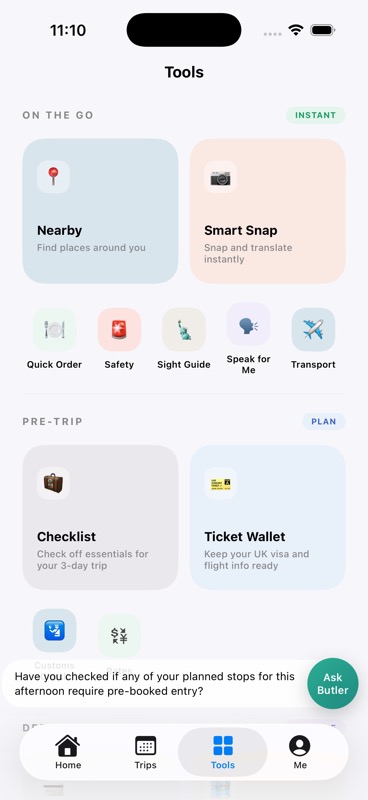
Tools
Tools gathers your most practical actions in one place, so users understand the product much faster than with a generic AI app.
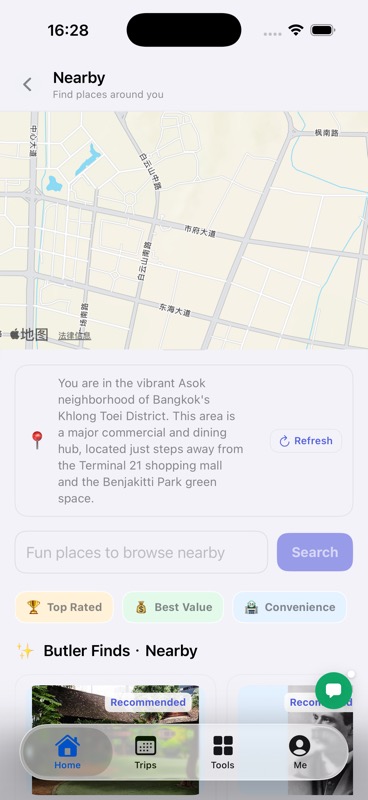
Nearby
Nearby is for urgent, practical needs such as restaurants, pharmacies, convenience stores, and other useful places around you.
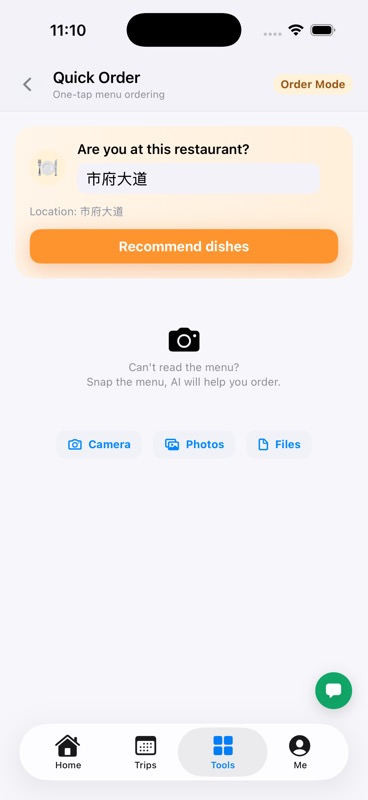
Quick Order
Enter the restaurant or street, then let TripPup suggest what to order.
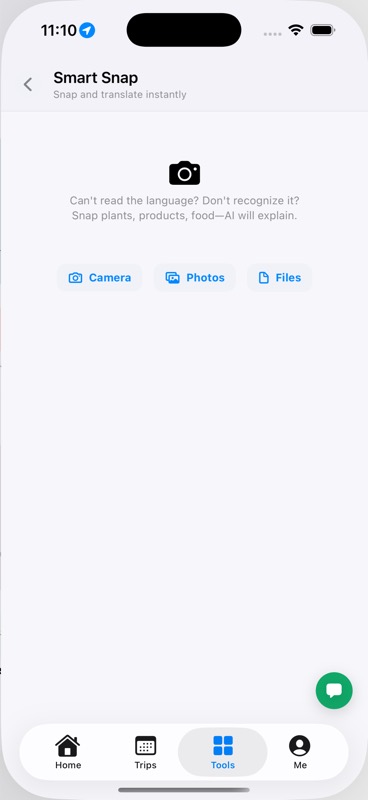
Smart Snap
Use the camera for food, signs, products, or labels you do not understand.
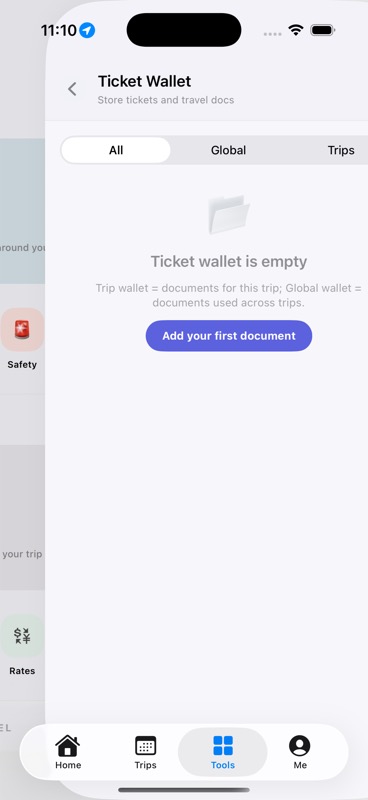
Ticket Wallet
Store flights, bookings, and travel documents so they stop living in screenshots and email threads.
What makes it different
The app can emphasize different tools depending on whether you are planning, on a domestic trip, or traveling abroad.
The guidance is designed around itinerary building, nearby discovery, documents, translation, and real-world travel decisions.
The product value is practical: less tab switching, less forgetting details, and faster decisions while moving through a trip.
You can start exploring without complex setup and move into an account flow only when you need it.
From The Blog
This section is the first step toward a larger SEO and GEO content library. It gives TripPup a place to answer specific travel questions, not just describe app features.
A practical walkthrough for travelers who want one structured itinerary instead of scattered planning across docs, chats, and booking emails.
Read articleA practical explanation of where planning ends, booking begins, and why clear boundaries make travel tools more trustworthy.
Read articleWhy modern travel apps need lower friction, native iOS quality, and one continuous assistant experience instead of isolated single-purpose tools.
Read articleFAQ
TripPup is an AI trip planner for iPhone that combines itinerary planning, nearby discovery, translation, and practical travel tools in one app.
It is designed for solo travelers, frequent travelers, and anyone who wants fewer moving parts when planning or navigating a trip.
Tap any App Store button on this page to open the iOS product page and install TripPup directly on your iPhone or iPad.
Yes. TripPup supports a 3-day trial experience so users can explore the app before deciding whether to subscribe.
Yes. This page is designed to be both a landing page and a quick product guide, so users can preview the main screens and understand how to use them before they install the app.
Ready to travel smarter?